IT Service Status
News and Events
News
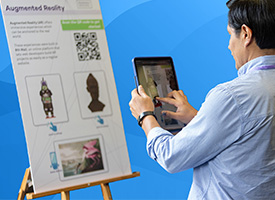
TEACHx Registration Is Now Open
Held each May, the TEACHx conference showcases innovative approaches to teaching and learning with technology. This annual event brings together instructors, students, learning designers, and technology specialists to make connections, begin collaborations, and learn from their peers.
Events
Apr
10
2024
Next Steps in Python: Bayesian Inference in STAN
12:00 PM
Next Steps in Python Workshop Series is a seven-part series covering intermediate Python skills, tips, and tricks guaran...
Apr
11
2024
Writing Alt Text for Complex Images
10:30 AM
NOTE: This is a virtual session, the link will be sent in a reminder email.
All alt text for images should be based on t...
Apr
11
2024
Topics in Research Computing Workshop Series: Navigating Quest (Virtual)
1:00 PM
The Topics in Research Computing Series is a six-session workshop series showing you how to scale up your computational ...
Northwestern IT Newsletter
Bits, Bytes, and Buzz newsletter
Distributed quarterly to faculty and staff and three times during the academic year to Northwestern students, the newsletter highlights relevant topics and opportunities to enhance your experience with technology at Northwestern.
See Past Issues