IT Service Status

Need Assistance Connecting to eduroam or GlobalProtect VPN?
Please refer to these device-specific instructions on connecting to the eduroam network or using the GlobalProtect VPN.


Home Page
Find an Answer
Where can I find...
How do I...
News and Announcements

myHR, CAESAR, and NUFinancials Downtime This Week
from Status of University IT Services
The myHR system, including Self Service and Careers, will be unavailable beginning Thursday, June 25, at 5 p.m., through Saturday, June 27, at approximately 6 p.m., for scheduled maintenance. On Saturday, June 27, both CAESAR (6 a.m. to Noon) and NUFinancials (7 a.m. to 3 p.m.) will be unavailable during scheduled maintenance as well.
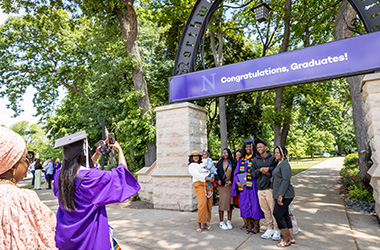
Graduating Soon? Transfer Your Google Workspace and Other Data
Take a moment to wrap up your digital to-dos. Your NetID and access to many Northwestern systems, including Google Workspace (Gmail, Google Drive, Google Photos, and information stored in Google apps), Microsoft, and Canvas, eventually expire after you graduate, and data will be deleted. Download important files or emails, and transfer the files that need to stay behind to the new owners now.

Quest Unavailable for Scheduled Maintenance June 22-26
from Status of University IT Services
Quest Analytics Nodes, the Genomics Compute Cluster, the Kellogg Linux Cluster, and Quest OnDemand, will be unavailable for scheduled maintenance starting at 8 a.m. on Monday, June 22, and ending at 5 p.m. on Friday, June 26.

Retention Schedule for Zoom Recordings
from Zoom Support
In compliance with the University’s cloud storage retention efforts, on Wednesday, June 17, all Zoom cloud recordings created before July 1, 2025, will be moved to the Zoom Trash. Recordings can be recovered from the Zoom Trash for 30 days before they are permanently deleted on July 17, 2026.

From Infrastructure to Impact: IT and NNCI
Northwestern is taking a major step forward in artificial intelligence and data science through the Northwestern Network for Collaborative Intelligence (NNCI)—a University wide effort to advance research, education, and impact through AI. NNCI is structured around the idea of three strategic pillars: Research, Education, and Infrastructure, and success depends on how closely they work together.
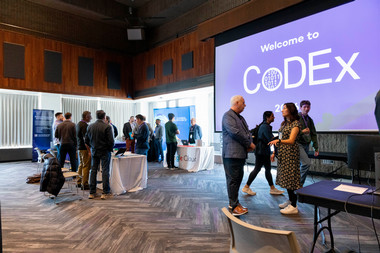
CoDEx 2026 Draws Strong Campus Engagement Around Computational and Data‑Intensive Research
Northwestern University’s annual Computation and Data Exchange (CoDEx) symposium returned to Norris University Center on April 21, welcoming approximately 200 attendees from across multiple research disciplines for a day of talks, posters, visualizations, and networking centered on data‑ and computation‑driven discovery.

Preventing AI Scams: Digital Defense in an Evolving Online Ecosystem
Advances in AI technology have enabled online scammers to become more creative in their methods, allowing them to craft scams that mimic human language patterns and produce persuasive, context-aware messages that bypass traditional filters on social media, websites, and in your inbox.

Upcoming NetID Password Resets—What to Expect Beginning April 1
Beginning April 1, Northwestern IT is moving up the NetID password reset process for members of the Northwestern community, with the goal of having all NetID passwords updated by June 1, 2026.
AI at Northwestern IT: Tools, Guidance, and What’s Next
Artificial intelligence has quickly become part of the everyday work of our campus community, and Northwestern IT is committed to helping students, faculty, staff, and researchers use these tools thoughtfully, effectively, and securely. From drafting and summarizing content to analyzing data and streamlining routine tasks, AI tools are available for use at Northwestern.

Zoom AI Companion Features for Meetings Now Available
Northwestern students, faculty, and staff now have access to a group of Zoom AI Companion features, which are an opt-in set of AI-powered tools designed to integrate directly into the Zoom meeting experience. These tools can help summarize discussions, answer questions in real time, and enhance recordings—while keeping data privacy front and center.
Staying Secure Together: Why Strong Passwords and Vigilance Matter More Than Ever
Cyberthreats targeting higher education are a constant reality. Attempts to gain access to University accounts happen around the clock, and they continue to grow in scale and sophistication. To stay ahead of these threats, Northwestern IT recently implemented several enhancements to strengthen our overall security posture and better protect University systems, data, and our community.
Enhance Your AI Skills—Getting the Most Out of Copilot Chat
Microsoft’s Copilot Chat, available at no cost to all Northwestern students, faculty, and staff, offers a secure and intuitive AI assistant that can support learning, research, and administrative work across campus. Copilot Chat can assist directly with summarizing articles, drafting emails, exploring frameworks and methodologies, and much more. Explore Northwestern‑specific examples and quick video resources to help you work more efficiently with AI.

Celebrating Excellence: 2025 Project Team Excellence Award Winners
Northwestern IT is proud to recognize the recipients of the 2025 Project Team Excellence Award (PTEA)—an annual honor that celebrates project teams whose work demonstrates exceptional collaboration, impact, and alignment with Northwestern values.
Guidance on the Use of Generative AI at Northwestern
Generative artificial intelligence (AI) offers the potential for new capabilities in research, education, and productivity. Understand what to look for when adopting these tools to ensure the intended use is met and University data is protected.
Stay Up-To-Date
Technology Tip

Browse Safely Under the Sun
Preparing for summer travel? Keep your accounts and devices secure while away from campus. Make sure your antivirus software and other accounts are up to date before leaving, as malware disguised as software patches can appear on unsecured networks. Use a secure VPN connection when browsing online to avoid bad actors this summer. Find more tips on staying secure while traveling.
Events
Jun
25
2026
Introduction to Canvas for Instructors
1:00 PM
For instructors new to Northwestern or new to using Canvas full-time, this interactive workshop provides an overview of ...
Jun
29
2026
Quest Orientation (Virtual)
10:00 AM
Northwestern University provides a high-performance computing cluster, Quest, for its researchers. The cluster is design...
Jun
29
2026
Research Computing and Data Drop-in Support
3:00 PM Mudd Hall ( formerly Seeley G. Mudd Library), 2233 Tech Drive
Research Computing and Data Services Consultations
Drop-in Support: We are excited to be holding in-person consultation ...