IT Service Status

Need Assistance Connecting to eduroam or GlobalProtect VPN?
Please refer to these device-specific instructions on connecting to the eduroam network or using the GlobalProtect VPN.
Home Page
Find an Answer
Where can I find...
How do I...
News and Announcements

2026 Cybersecurity Awareness Month: Don't Make It Easy for Them
Every October, Northwestern IT joins the National Cybersecurity Alliance and the Cybersecurity and Infrastructure Security Agency in marking Cybersecurity Awareness Month. This year's national theme, "Don't Make It Easy for Them," is a good description of the philosophy behind staying safe online.
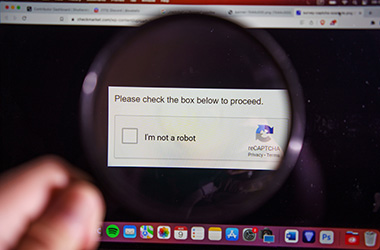
Beware of Fake "Verify You're Human" Prompts
You know the process: click a box, select some images, and prove you are not a robot. It has become such a familiar step online that scammers have now started to exploit it by tricking people into infecting their own devices.

Building AI Knowledge and Access Across Northwestern
New AI tools, training, and guidance continue to become available to help Northwestern students, faculty, and staff choose appropriate resources, build practical skills, and use artificial intelligence responsibly in their learning, teaching, research, and work.

Voting Is Now Open: Help Choose the Name of Northwestern's New GPU Cluster
from Microsoft Forms
The finalists are in. Help select the official name for Northwestern's next-generation research computing cluster. Voting will be open through Friday, October 9.

Meeting Research Compute Needs Through a Partnership with NCSA
Northwestern IT has kicked off a project that will give researchers access to a powerful new resource designed to meet the growing GPU compute needs of Northwestern.
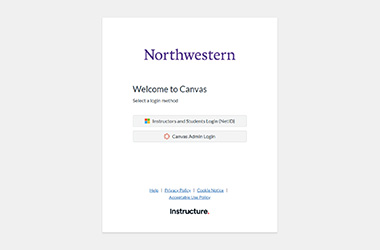
Default Canvas Login Page Implementation
Beginning August 31, 2026, Instructure, the company that provides Canvas, will implement a new default Canvas login screen. This new default screen may be encountered when navigating directly to “canvas.northwestern.edu” or when being redirected after a logout.
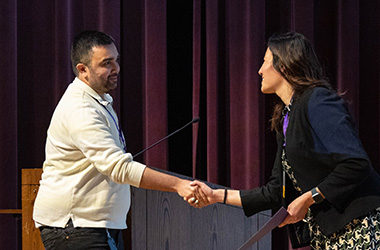
CoDEx 2026 Award Opens New Doors for Neurosciences Researcher
After earning top honors in the poster session competition at Northwestern’s CoDEx 2026 symposium, Syed Mohammad Adil Wafa, an interdepartmental neurosciences researcher in the Feinberg School of Medicine, used his $3,000 first-place award to attend the Gordon Research Seminar and Gordon Research Conference on Fragile X and Autism-Related Disorders.

Entra ID Login Page Visual Update
Beginning July 8, 2026, a new Entra ID login screen will be displayed when accessing services such as Microsoft 365, TeamDynamix, and Microsoft Azure. The rest of the login experience will remain unchanged. After entering your password, you will be redirected to Duo for Multi-factor Authentication.
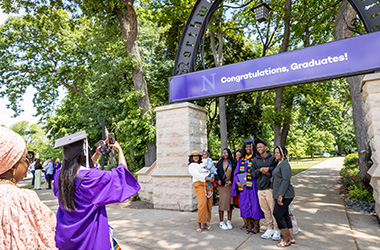
Graduating Soon? Transfer Your Google Workspace and Other Data
Take a moment to wrap up your digital to-dos. Your NetID and access to many Northwestern systems, including Google Workspace (Gmail, Google Drive, Google Photos, and information stored in Google apps), Microsoft, and Canvas, eventually expire after you graduate, and data will be deleted. Download important files or emails, and transfer the files that need to stay behind to the new owners now.

TEACHx Attendees Celebrate 10 Years of Innovation in Teaching and Learning
Held May 13–14, TEACHx 2026 marked the 10th anniversary of Northwestern’s annual conference exploring how technology and human-centered design shape the future of education.

From Infrastructure to Impact: IT and NNCI
Northwestern is taking a major step forward in artificial intelligence and data science through the Northwestern Network for Collaborative Intelligence (NNCI)—a University wide effort to advance research, education, and impact through AI. NNCI is structured around the idea of three strategic pillars: Research, Education, and Infrastructure, and success depends on how closely they work together.
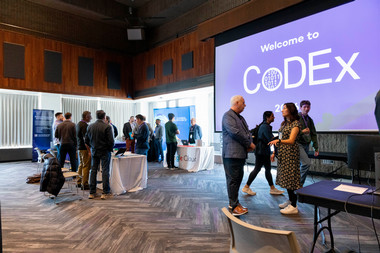
CoDEx 2026 Draws Strong Campus Engagement Around Computational and Data‑Intensive Research
Northwestern University’s annual Computation and Data Exchange (CoDEx) symposium returned to Norris University Center on April 21, welcoming approximately 200 attendees from across multiple research disciplines for a day of talks, posters, visualizations, and networking centered on data‑ and computation‑driven discovery.

Preventing AI Scams: Digital Defense in an Evolving Online Ecosystem
Advances in AI technology have enabled online scammers to become more creative in their methods, allowing them to craft scams that mimic human language patterns and produce persuasive, context-aware messages that bypass traditional filters on social media, websites, and in your inbox.
AI at Northwestern IT: Tools, Guidance, and What’s Next
Artificial intelligence has quickly become part of the everyday work of our campus community, and Northwestern IT is committed to helping students, faculty, staff, and researchers use these tools thoughtfully, effectively, and securely. From drafting and summarizing content to analyzing data and streamlining routine tasks, AI tools are available for use at Northwestern.

Zoom AI Companion Features for Meetings Now Available
Northwestern students, faculty, and staff now have access to a group of Zoom AI Companion features, which are an opt-in set of AI-powered tools designed to integrate directly into the Zoom meeting experience. These tools can help summarize discussions, answer questions in real time, and enhance recordings—while keeping data privacy front and center.
Staying Secure Together: Why Strong Passwords and Vigilance Matter More Than Ever
Cyberthreats targeting higher education are a constant reality. Attempts to gain access to University accounts happen around the clock, and they continue to grow in scale and sophistication. To stay ahead of these threats, Northwestern IT recently implemented several enhancements to strengthen our overall security posture and better protect University systems, data, and our community.
Enhance Your AI Skills—Getting the Most Out of Copilot Chat
Microsoft’s Copilot Chat, available at no cost to all Northwestern students, faculty, and staff, offers a secure and intuitive AI assistant that can support learning, research, and administrative work across campus. Copilot Chat can assist directly with summarizing articles, drafting emails, exploring frameworks and methodologies, and much more. Explore Northwestern‑specific examples and quick video resources to help you work more efficiently with AI.

Celebrating Excellence: 2025 Project Team Excellence Award Winners
Northwestern IT is proud to recognize the recipients of the 2025 Project Team Excellence Award (PTEA)—an annual honor that celebrates project teams whose work demonstrates exceptional collaboration, impact, and alignment with Northwestern values.
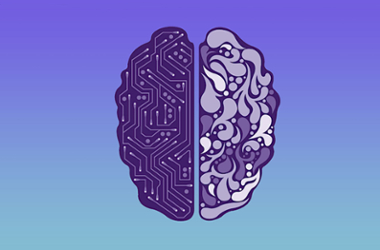
Guidance on the Use of Generative AI at Northwestern
Generative artificial intelligence (AI) offers the potential for new capabilities in research, education, and productivity. Understand what to look for when adopting these tools to ensure the intended use is met and University data is protected.
Stay Up-To-Date
Technology Tip

Connect First! Never Panic.
Knock out quick tech to-dos and avoid any “Why isn't this working?!” moments later. Connect devices, secure your account, and be ready to go from day one. Take a look at your back-to-school quick guide.
Events
Oct
21
2026
Cybersecurity Awareness Month: Leading Secure AI Adoption in Higher Education: Governance Strategies for an Evolving Threat Landscape
10:30 AM
As universities rapidly adopt AI, leaders must balance innovation with security, privacy, and compliance. Drawing on exp...
Oct
21
2026
Sequencing Filetypes and Quality Control (Chicago)
11:00 AM Wieboldt Hall South Entrance, 340 E Superior St
Understanding sequencing filetypes and generating QC metrics.
Sequencing data is essential to many computational biolog...
Oct
21
2026
Quest Orientation (Virtual)
1:00 PM
New users of Quest, Northwestern’s high-performance computing cluster, are encouraged to attend to learn best practices....